Asset Pipeline
Integrating Ftrack, Rez, Houdini and OpenUSD
In this framework, Ftrack provides the production context and entity hierarchy.
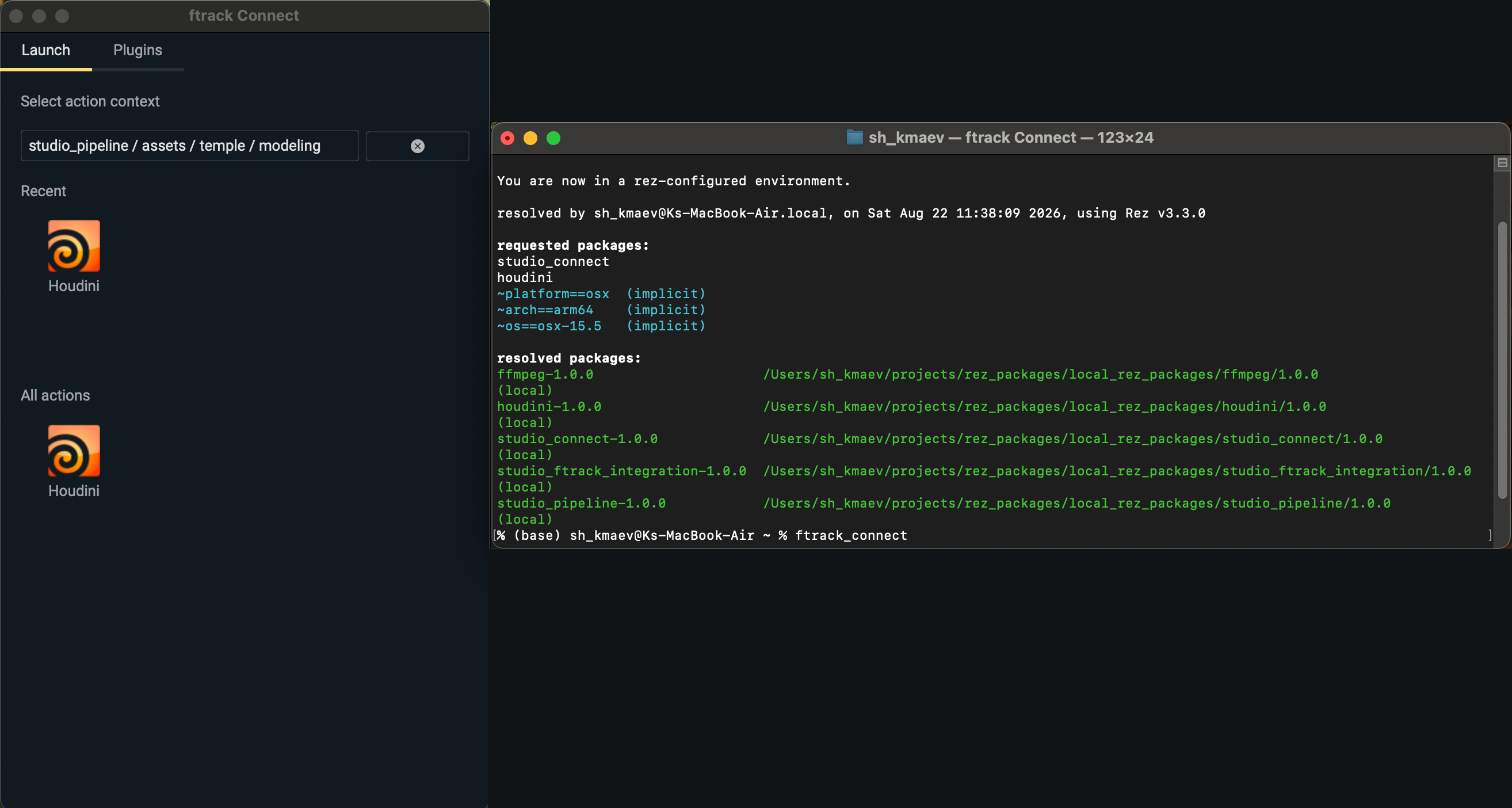
Ftrack Connect is used as a context navigation tool and a launcher, while the Studio Ftrack Integration Plugin maps the selected context to the corresponding studio environment.
Rez provides the required software environment.
OpenUSD provides a composition layer for authoring assets.
Houdini is the current DCC integration, although the architecture allows for easy integration of other DCCs.
Key features include:
- Ftrack integration with Houdini and OpenUSD using Rez
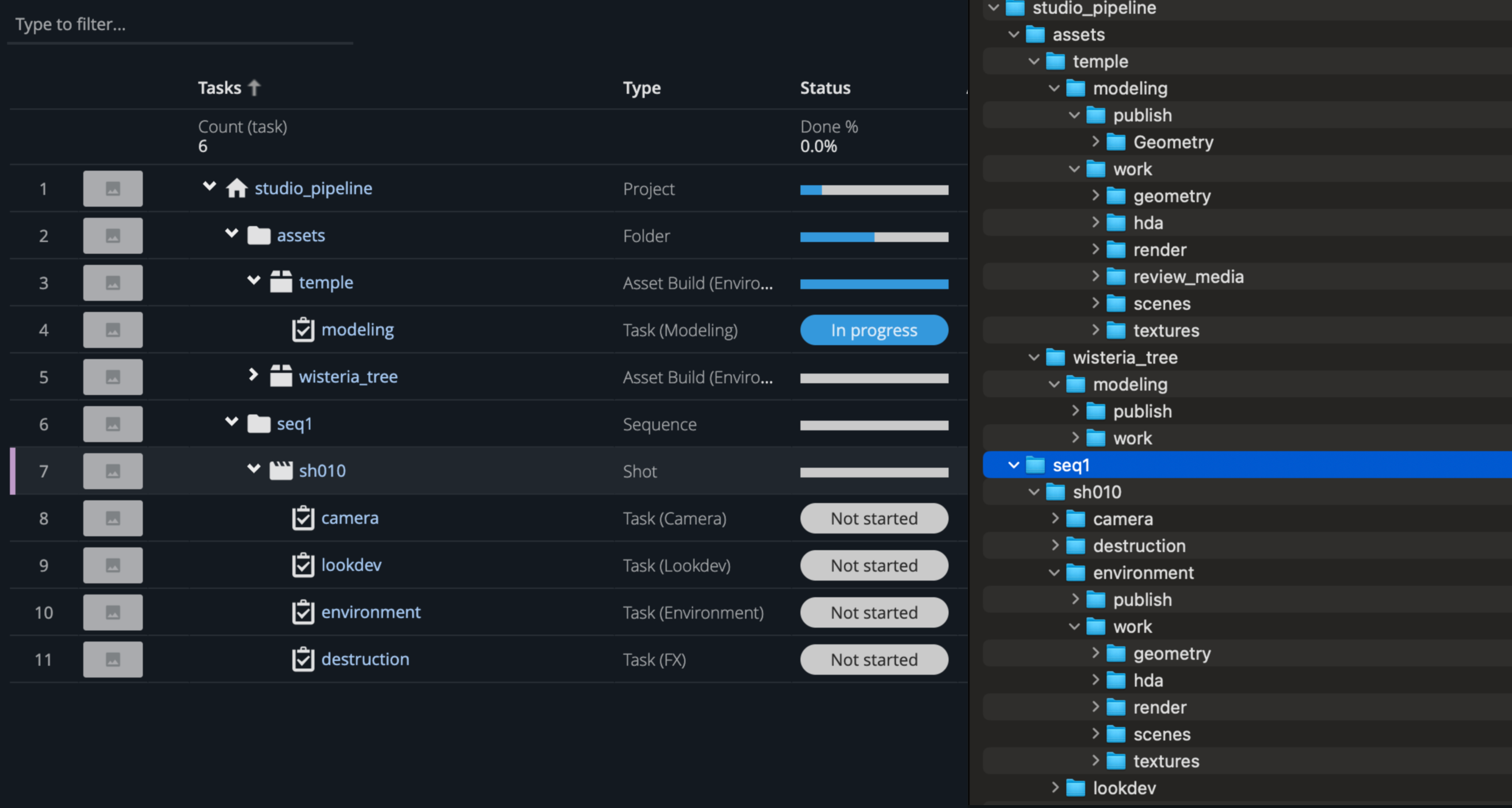
- Context-based project folder structure creation
- OpenUSD asset creation and composition in Solaris
- Asset publishing and version management through Ftrack
- Loading published assets back into Houdini
Context and Environment
Ftrack Connect is launched in a Rez-configured environment. When an artist launches Houdini from a selected Ftrack context, the studio plugin uses the launch event and selected context to fetch the corresponding studio environment. The studio environment configuration and folder structure configuration are based on the Ftrack Project Schema. The resulting environment is then used to configure the Houdini session and create the corresponding folder structure.
Rez and Ftrack Integration
The following example illustrates querying tasks from the current Ftrack context.
Note: The ContextResolver
supports several Ftrack context types, including projects, tasks, shots and asset builds.
Although Ftrack Connect lets an artist launch Houdini from a selected task, in different
situations the provided context might instead be a parent entity.
from studio_pipeline.ftrack_services import session_
from studio_pipeline import env_config


class ContextResolver:
    """Resolve Ftrack contexts and studio environment variables."""

    def __init__(self, context_id, session=None):
        """
        Initialize the resolver with an Ftrack context.

        Args:
            context_id: Ftrack context ID.
            session: Ftrack session.
        """
        self.context_id = context_id
        self.session = session if session is not None else session_.instance()
        self.auto_populate_keys = ['project.project_schema.name',
                                   'project.name',
                                   'link',
                                   'type.name']

        self.env_structure_path = env_config.instance().env_context_structure_path
        self.env_structure_file = self.env_structure_file_load()

    def query_task_from_context(self) -> list:
        """
        Query all tasks associated with the current Ftrack context.

        Returns:
            List of Ftrack tasks.
        """
        is_project = self.session.query(f"select id from Project"
                                        f" where id is '{self.context_id}'").first() is not None

        if is_project:
            tasks = self.session.query(f"Task where project_id is '{self.context_id}'").all()
        else:
            task = self.session.get("Task", self.context_id)
            if task:
                tasks = [task]
            else:
                tasks = self.session.query(f"Task where ancestors any (id is '{self.context_id}')").all()

        self.session.populate(tasks, ", ".join(self.auto_populate_keys))
        return tasks
OpenUSD Asset Definition
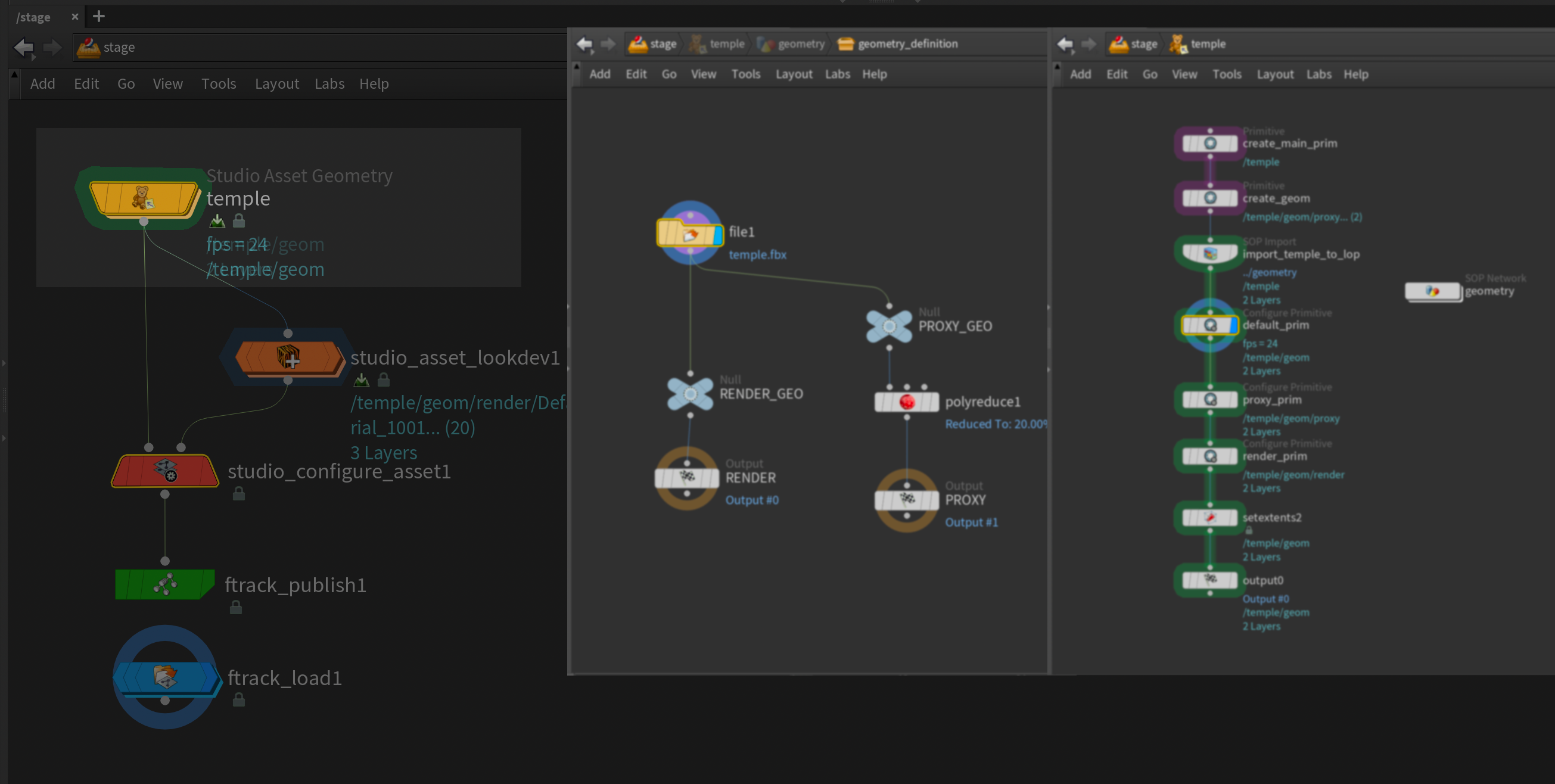
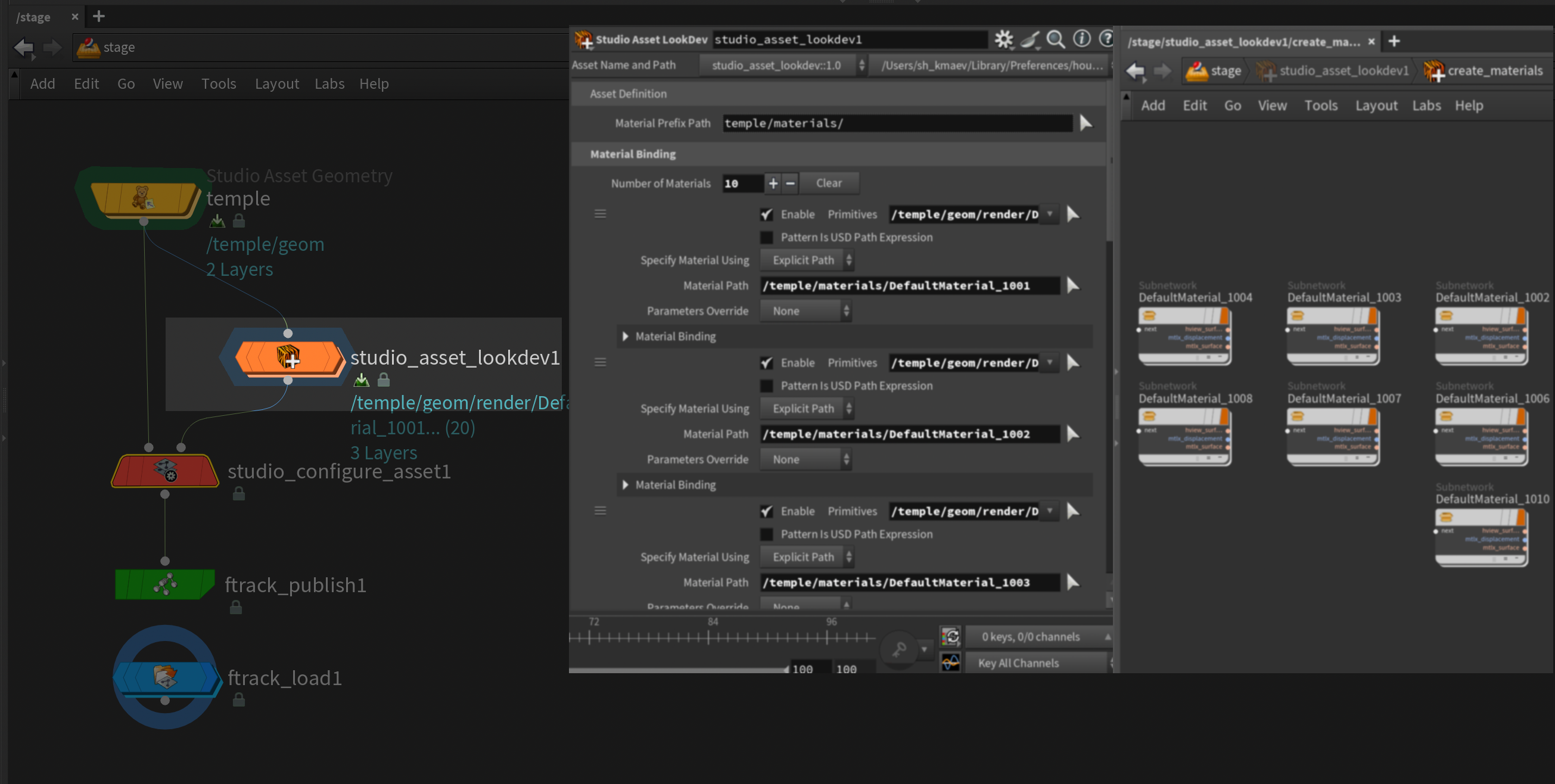
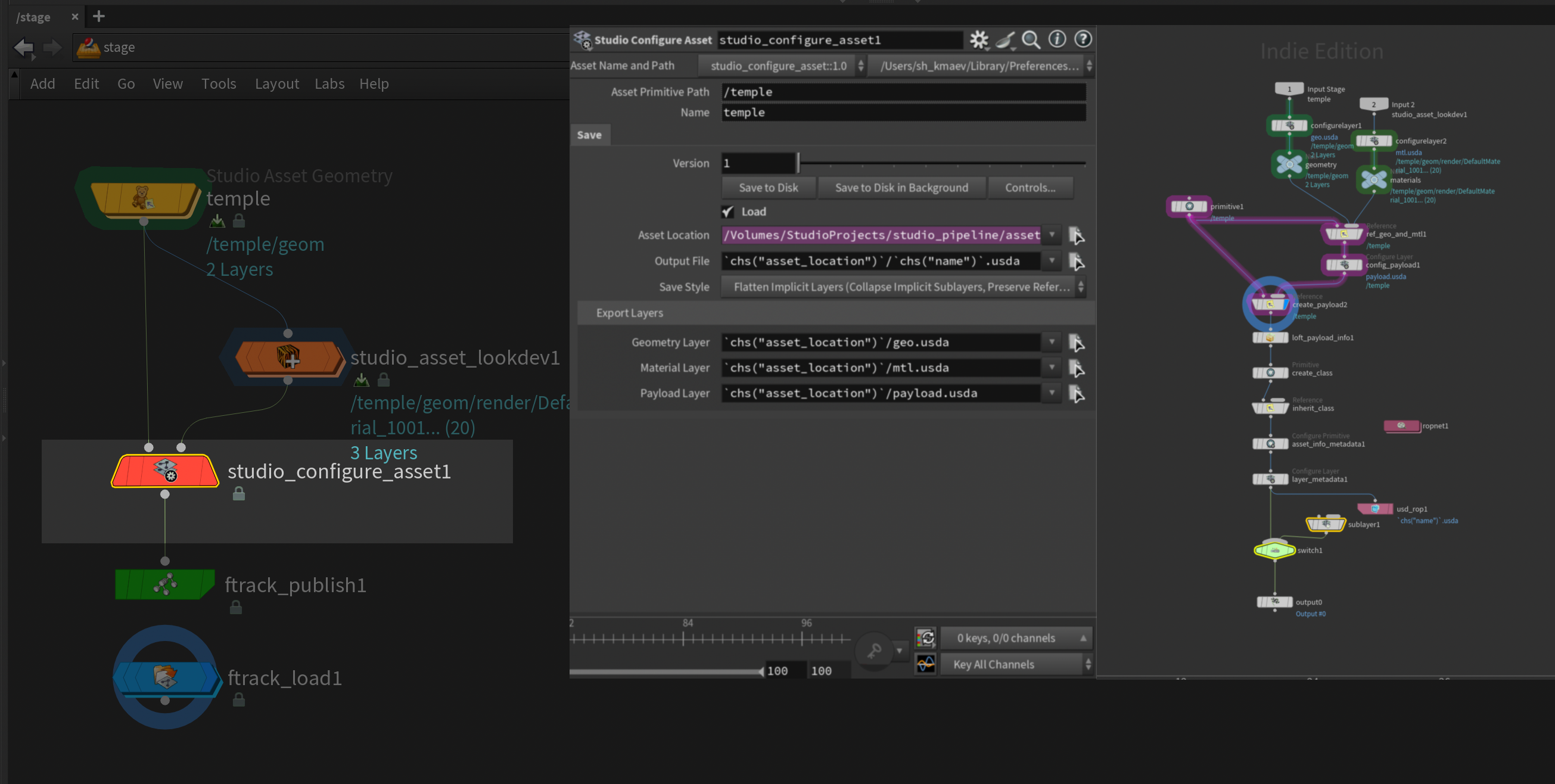
The asset workflow uses Solaris and OpenUSD and features three asset-definition HDAs:
- Asset Geometry — Contains a SOP network where artists can create geometry or import an existing model.
- Asset Lookdev — Contains a Material Network where artists can create and assign materials.
- Asset Configuration — Handles the geometry and material USD layers, payloads and the class primitive, which establishes an inheritance arc from the top-level primitive.
Asset Definition HDA Preview
Publishing and Loading
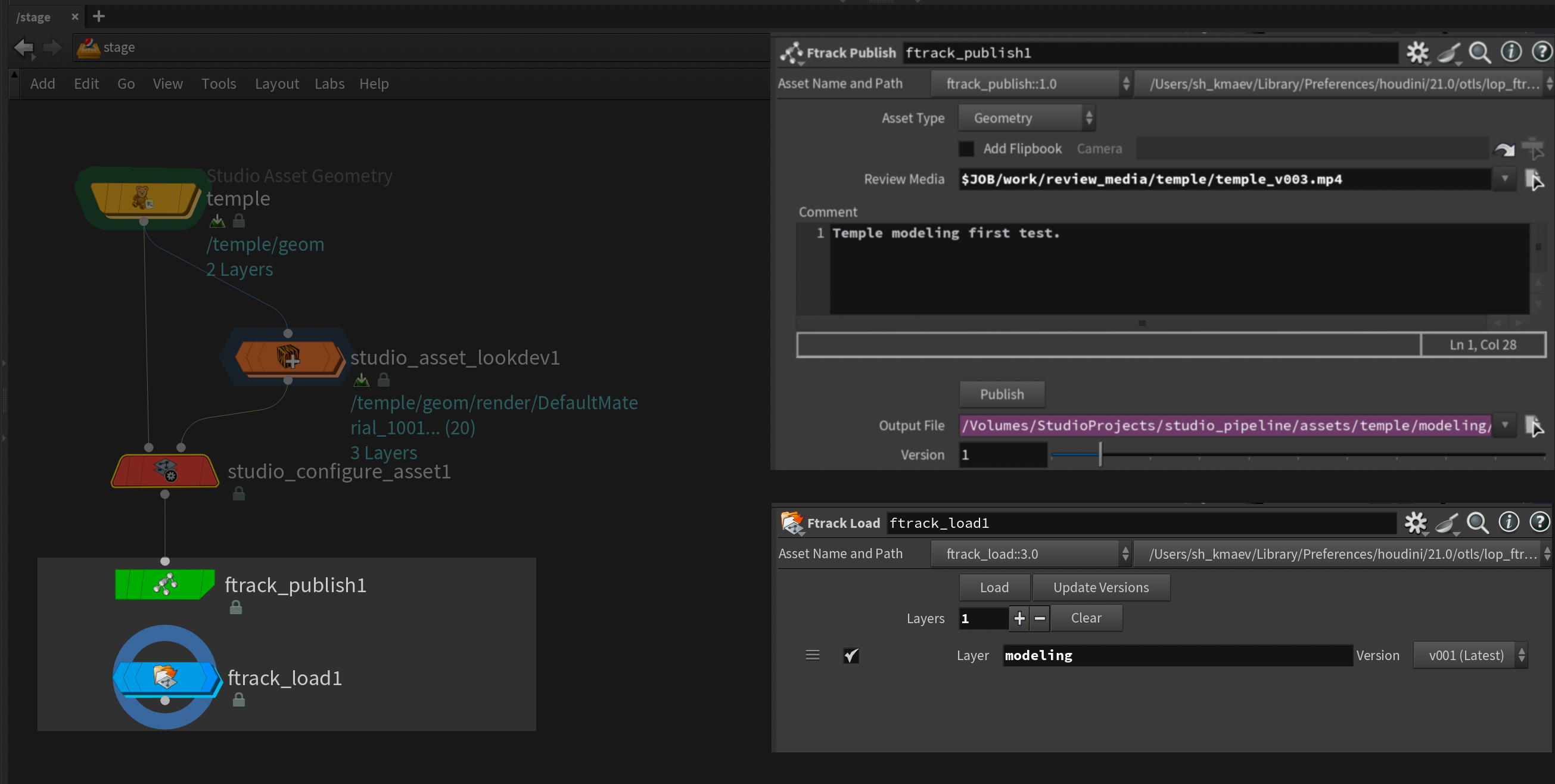
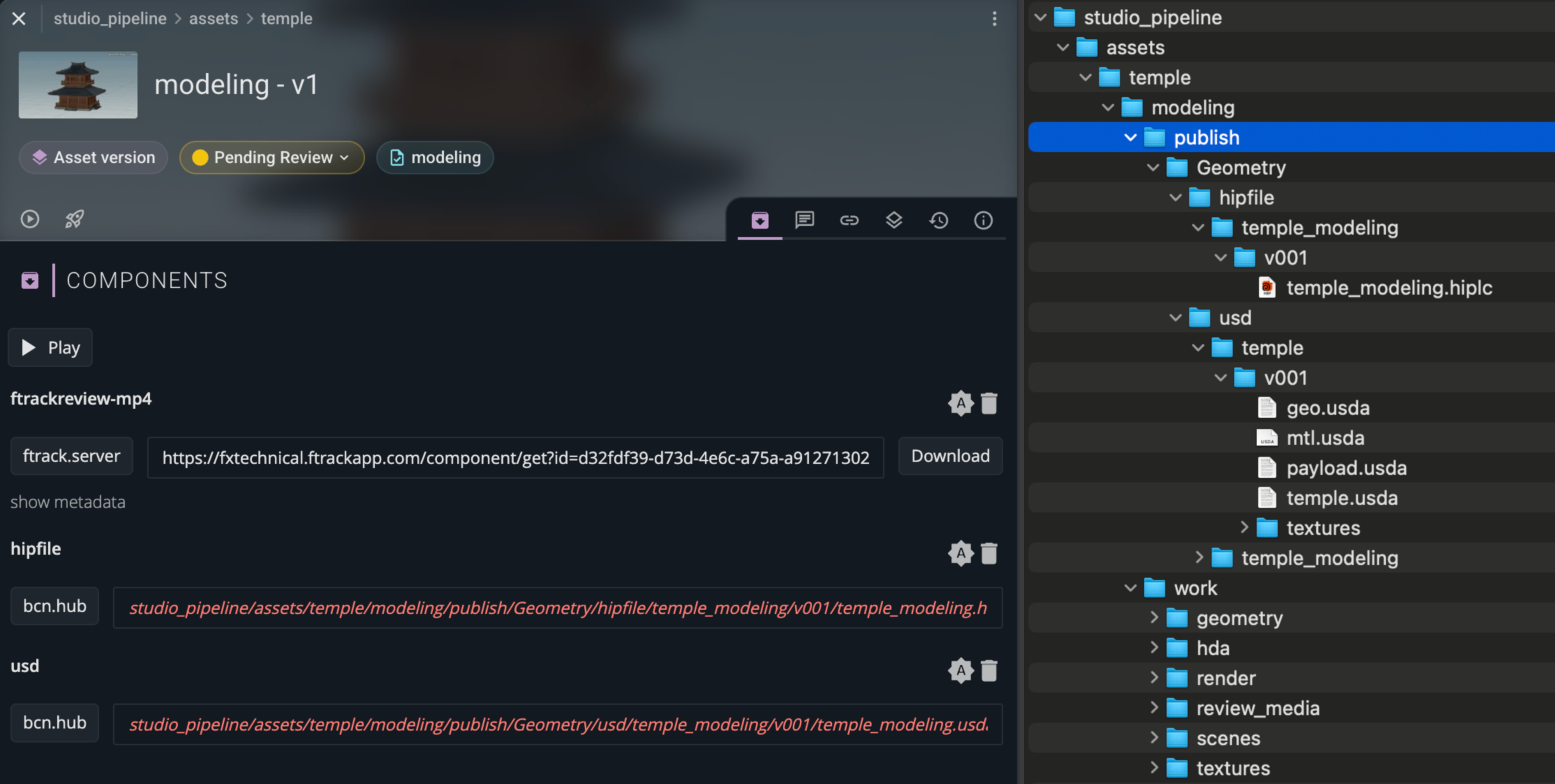
- Ftrack Publish packages and publishes the asset into the context-specific publish location. The process collects the authored USD files and required dependencies, saves a publish copy of the Houdini scene, registers the result in Ftrack and creates an AssetVersion for review.
- Ftrack Load fetches the latest published version from Ftrack and reconstructs the published asset in Houdini.
Ftrack Publish and Load HDA Preview
The following example illustrates AssetVersion publishing.
Note: FtrackTask and FtrackAsset are wrapper classes around Ftrack entities, providing a cleaner interface for managing production data.
import shutil
from dataclasses import dataclass
from pathlib import Path

import ftrack_api

from studio_pipeline.ftrack_services import session_


@dataclass
class ComponentData:
    """Data describing a component to publish."""

    component_name: str
    file_path: str


@dataclass
class ReviewMedia:
    """Review media and associated Ftrack metadata."""

    file_path: str
    name: str
    metadata: dict


@dataclass
class VersionData:
    """Data required to create and publish an Ftrack asset version."""

    task_id: str
    asset_name: str
    components: list[ComponentData]
    review_media: ReviewMedia
    asset_type_name: str
    studio_location_name: str
    server_location_name: str


class FtrackPublisher:
    """Publish assets and review media to Ftrack."""

    def __init__(self, version_data: VersionData, session: ftrack_api.Session | None = None) -> None:
        """
        Initialize the publisher with asset version data and an Ftrack session.

        Args:
            version_data: Data describing the asset version to publish.
            session: Ftrack session.
        """
        self.version_data = version_data
        self.session = session if session is not None else session_.instance()

        self.task = FtrackTask.from_id(version_data.task_id, self.session)
        self.asset = FtrackAsset.get_or_create(version_data.asset_name,
                                               version_data.asset_type_name,
                                               self.task,
                                               self.session)

        self.studio_location = self._fetch_location(version_data.studio_location_name)
        self.studio_root = self.studio_location.accessor.prefix
        self.server_location = self._fetch_location(version_data.server_location_name)

    def publish(self) -> None:
        """Publish the asset and create an Ftrack AssetVersion."""
        status = self.session.query('Status where name is "Pending Review"').one()
        version = self.session.create(entity_type="AssetVersion",
                                      data={"asset": self.asset.handle,
                                            "task": self.task.handle,
                                            "name": self.asset.handle["name"],
                                            "is_published": False,
                                            "status": status})
        self.session.commit()

        for component_data in self.version_data.components:
            file_path = Path(component_data.file_path)
            resource_identifier = self._build_publish_path(file_path,
                                                           component_data.component_name,
                                                           version)

            component = self.session.create(entity_type="Component",
                                            data={"name": component_data.component_name,
                                                  "resource_identifier": resource_identifier,
                                                  "version": version})

            self.session.create(entity_type="ComponentLocation",
                                data={"component": component,
                                      "location": self.studio_location,
                                      "resource_identifier": resource_identifier})

            final_path = Path(self.studio_root, resource_identifier)
            final_path.parent.mkdir(parents=True, exist_ok=True)
            shutil.copy(file_path, final_path)

        version.create_component(path=self.version_data.review_media.file_path,
                                 data=self.version_data.review_media.metadata,
                                 location=self.server_location)

        version.create_thumbnail(self._thumbnail_from_mp4(self.version_data.review_media.file_path))

        version["is_published"] = True
        self.session.commit()
This piece is a small part of a personal research project exploring different approaches to integrating Ftrack, OpenUSD, and Houdini.
Tech Stack
Pipeline
Python, Ftrack, Ftrack Connect, Rez
DCC / USD
Houdini, Solaris, OpenUSD